Lighting solutions
Manage your lighting system down to each light
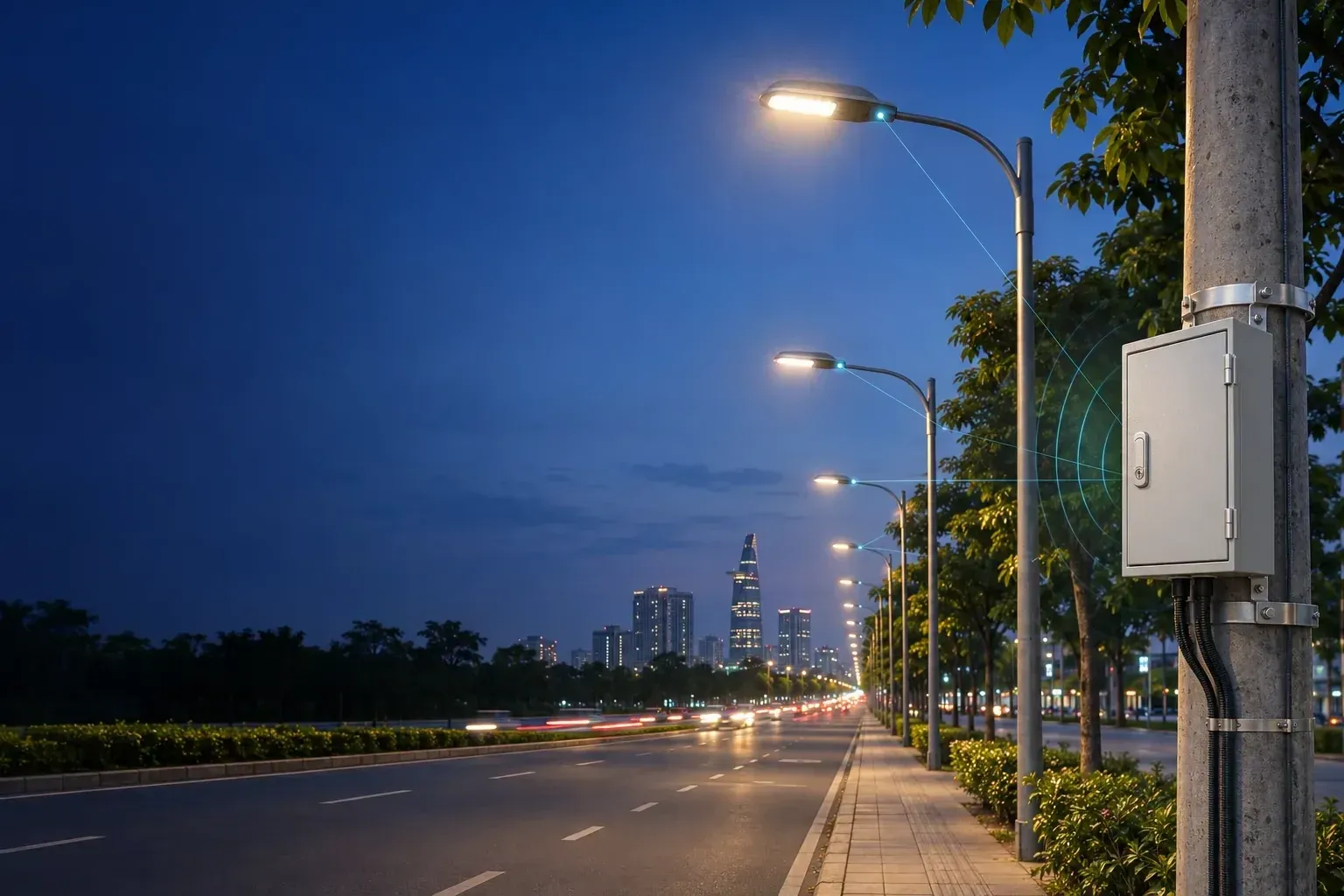
Electrical cabinets, lighting circuits and each lamp are connected to MEI ECO. On the Web/App, the operations team remotely controls, schedules, monitors power and detects abnormalities.
- Web/App MEI ECO
- Cabinets, circuits and individual lights
- Scheduling and remote control
System architecture
Cabinet-level and LoRa lighting control
The controller in the electrical cabinet turns the lights on and off according to each line, and through LoRa, each light can be individually controlled if the hardware is compatible. By combining the two methods, the solution can be applied to both existing lighting systems and new investment projects.
01 / Applications
From a single street to multiple areas
The solution is configured according to the current status of electrical cabinets, lighting systems and management requirements of each project.
02 / Direct control
Cabinet-mounted controller
Switch individual lighting circuits through relays and contactors. Monitor operating status and energy use, depending on the installed meters.
- On/off schedules by circuit
- Manual or automatic control
- Main cabinet monitoring
02 / Control via LoRa
Control individual lights
Gateway exchanges data with the light controller via LoRa. If the hardware is compatible, each light is controlled and monitored individually.
- Schedule for each light or group of lights
- Brightness control (dimming)
- Individual light status feedback
- Connection to the management centerThe electrical cabinet or gateway connects to the MEI ECO server via 4G or Ethernet, depending on project configuration.
03 / Digital operations
See the whole picture.
Know every location.
Locate cabinets and lights on the map, view the site in 3D and monitor energy use in MEI SmartLight. Explore the Tam Toa, Hue simulation below: select a light, change the viewing angle and try adjusting its brightness.
- Manage position, light group and status of each light point
- Monitor power, kWh, voltage and current from the installed meters
- Adjust brightness by lights, groups or time frames
- Compare lighting schedules and energy use to evaluate savings
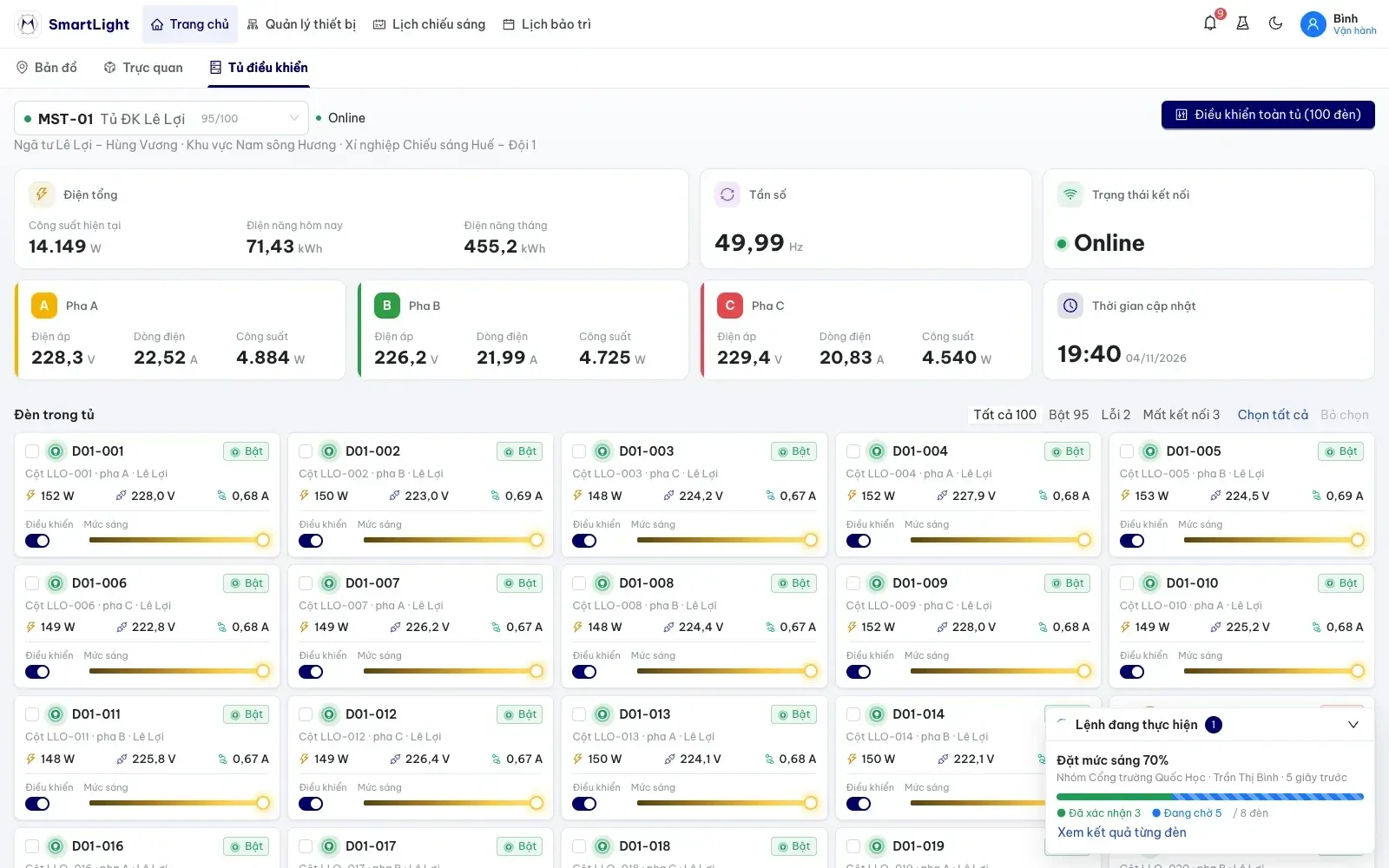
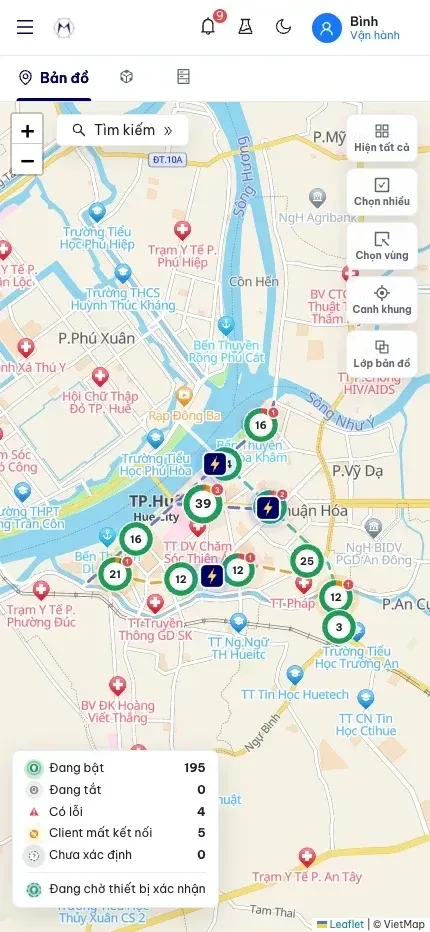
Photo of the MEI software interface with illustrative data.
04 / System functions
Operate, monitor power and warn of problems
Scheduling, monitoring, receiving alerts and maintenance management are all done on the MEI ECO Web/App.
Automatic operation
Adjust brightness
to use electricity effectively
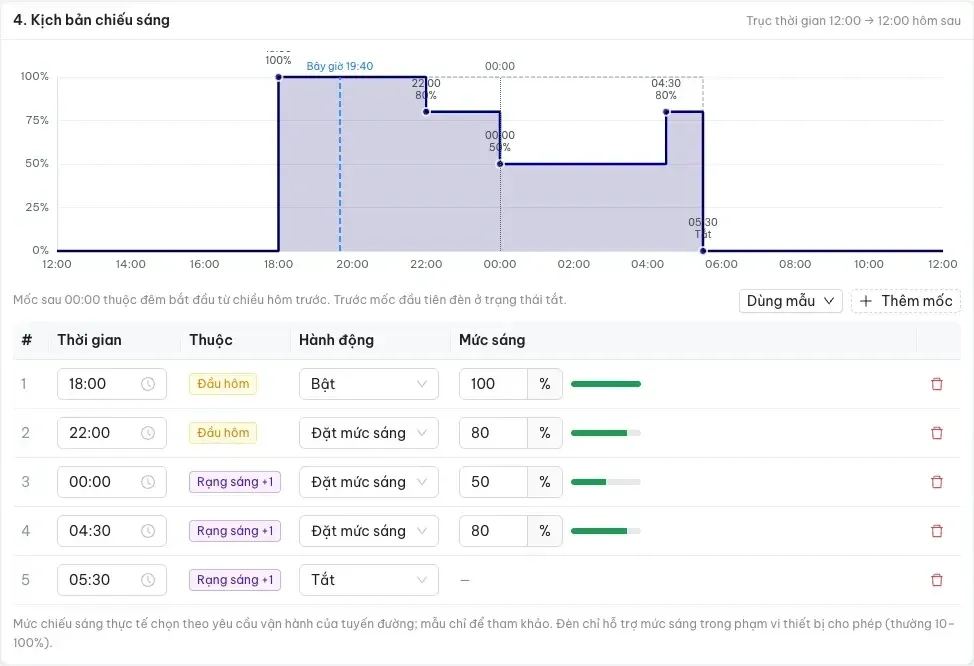
Keep bright during peak hours, dim when demand is low, and turn off on schedule. Each line and group of lights has its own scenario; Savings efficiency is compared with actual measured kWh.
- Dimming according to time frameFor example, keep brightness at 100% in the early evening, reduce it to 70% or 50% late at night, and increase it when needed. Levels and times are selected according to lighting requirements and supported drivers and controllers.
- Evaluated by measured powerCompare kWh numbers between time periods or routes with equivalent operating conditions. Actual savings depend on lamp type, driver, operating time and usage schedule.
- Maintain calendar in placeThe controller supports saving local schedules and continuing to execute schedules when the connection is interrupted. Data is synchronized when the connection is restored.
Process
Four implementation steps
Infrastructure survey
Check electrical cabinets, cable routes, lamp types, drivers and LoRa coverage area.
Solution design
Choose the connection model, measuring equipment and control plan appropriate to the current status and requirements of the project.
Integration and configuration
Put cabinets and lights on the map, group lights, set operating schedules and warning thresholds.
Handover and maintenance
Field testing, user training and operational support.
Featured projects
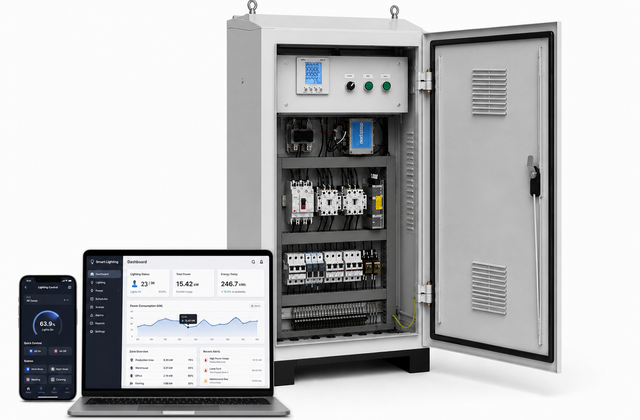
URBAN LIGHTING
MEI GROUP's smart lighting solution allows centralized monitoring and control of remote lighting systems via Web/App in real time. The system supports on/off, scheduling operations, monitoring voltage, current, power and device status. Automatically warn of problems via Web, App, SMS and calls. Supports digital maps, user authorization, saves operating history, exports electricity reports and integrates Smart City, SCADA, IoT. Industrial equipment supports Ethernet, 4G, RS485, MQTT, operating stably 24/7.
Equipment for lighting systems
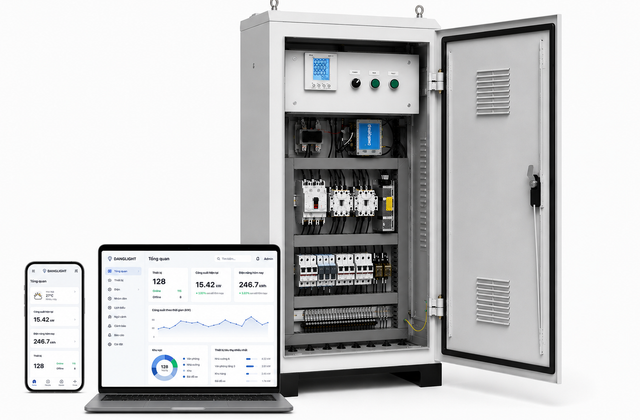
LoRa lighting control cabinet
MEI smart lighting cabinet system is an IoT solution that helps centrally monitor and control the lighting system via Web and Mobile platforms. The system allows turning on/off, adjusting the brightness of each light or each line via the LoRa network, setting up automatic operating scenarios over time, and monitoring voltage, current, power and energy consumption. Incidents such as overload, lost connection or faulty equipment are alerted immediately. In addition, the system supports displaying device locations on GIS maps, monitoring Online/Offline status and exporting reports for effective management and operation.
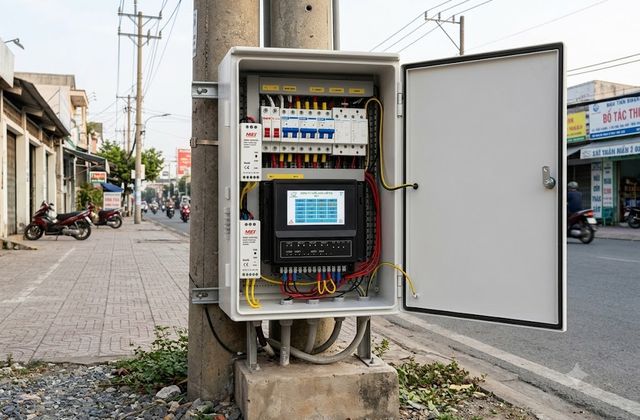
Urban lighting equipment
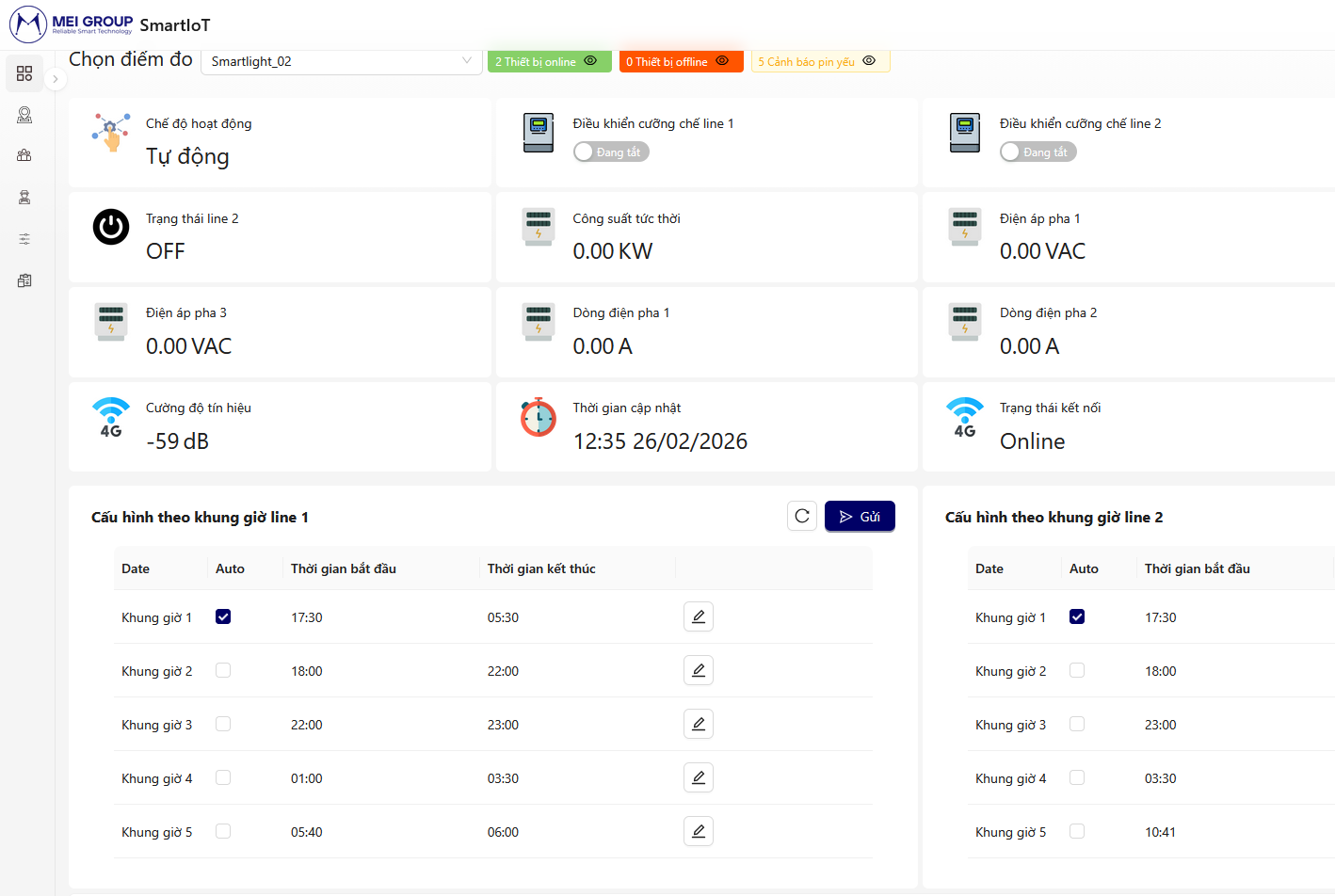
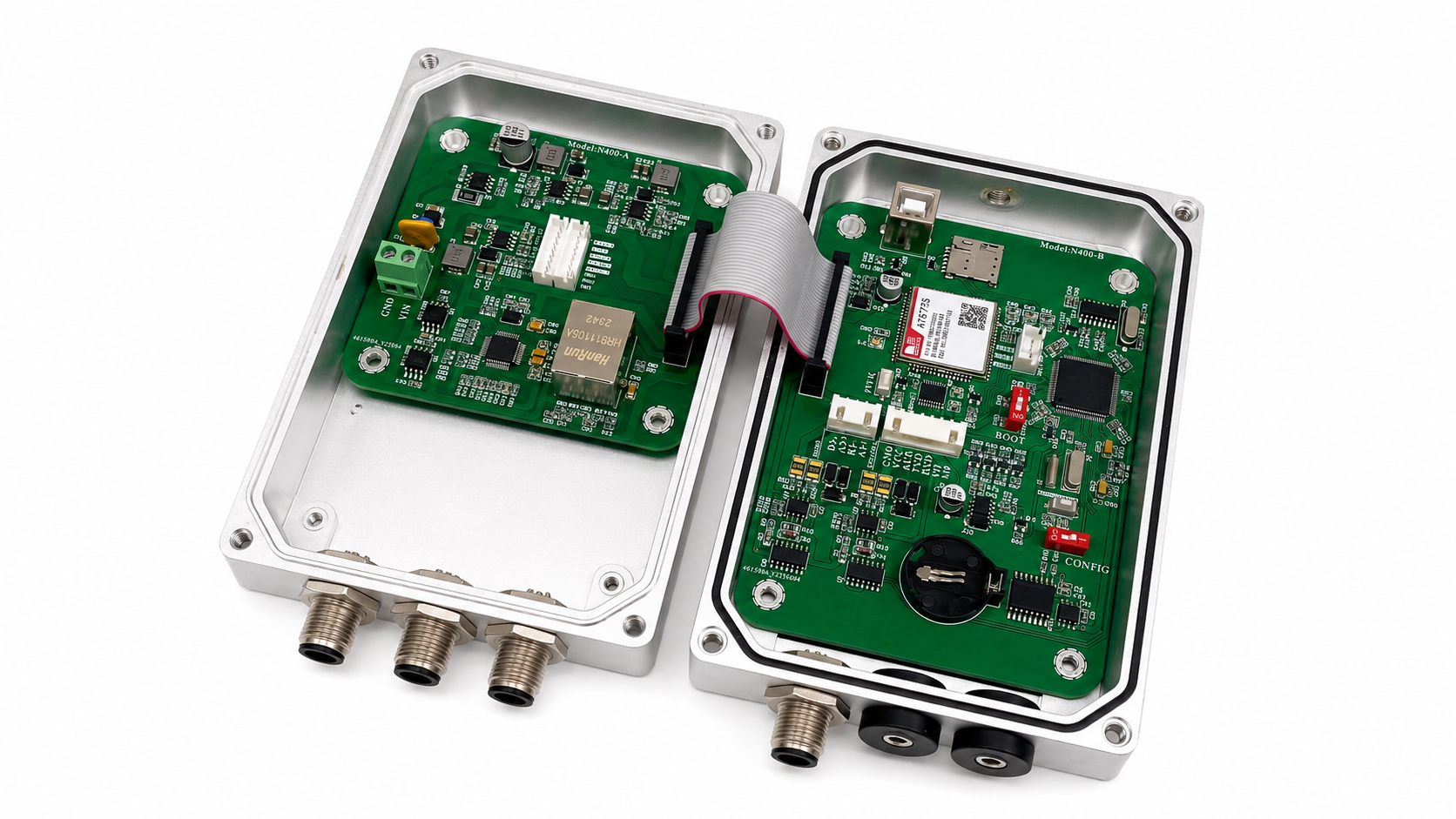
MEI urban lighting equipment is a controller and monitor for street light cabinets using an independent 4G connection, fully integrated with the MEI Eco ecosystem. The solution allows centralized management of many light cabinets on web and app platforms, suitable for deployment on roads, residential areas, industrial parks and smart cities. The device supports independent control of 2 lighting lines, each line can be turned on/off separately to optimize energy saving. Operating modes include: manual control at the cabinet, remote forced control via app and automatic control according to a flexible timer schedule based on day or time frame. The system...
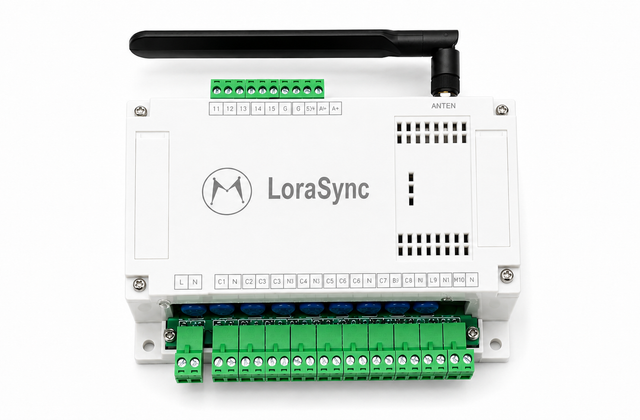
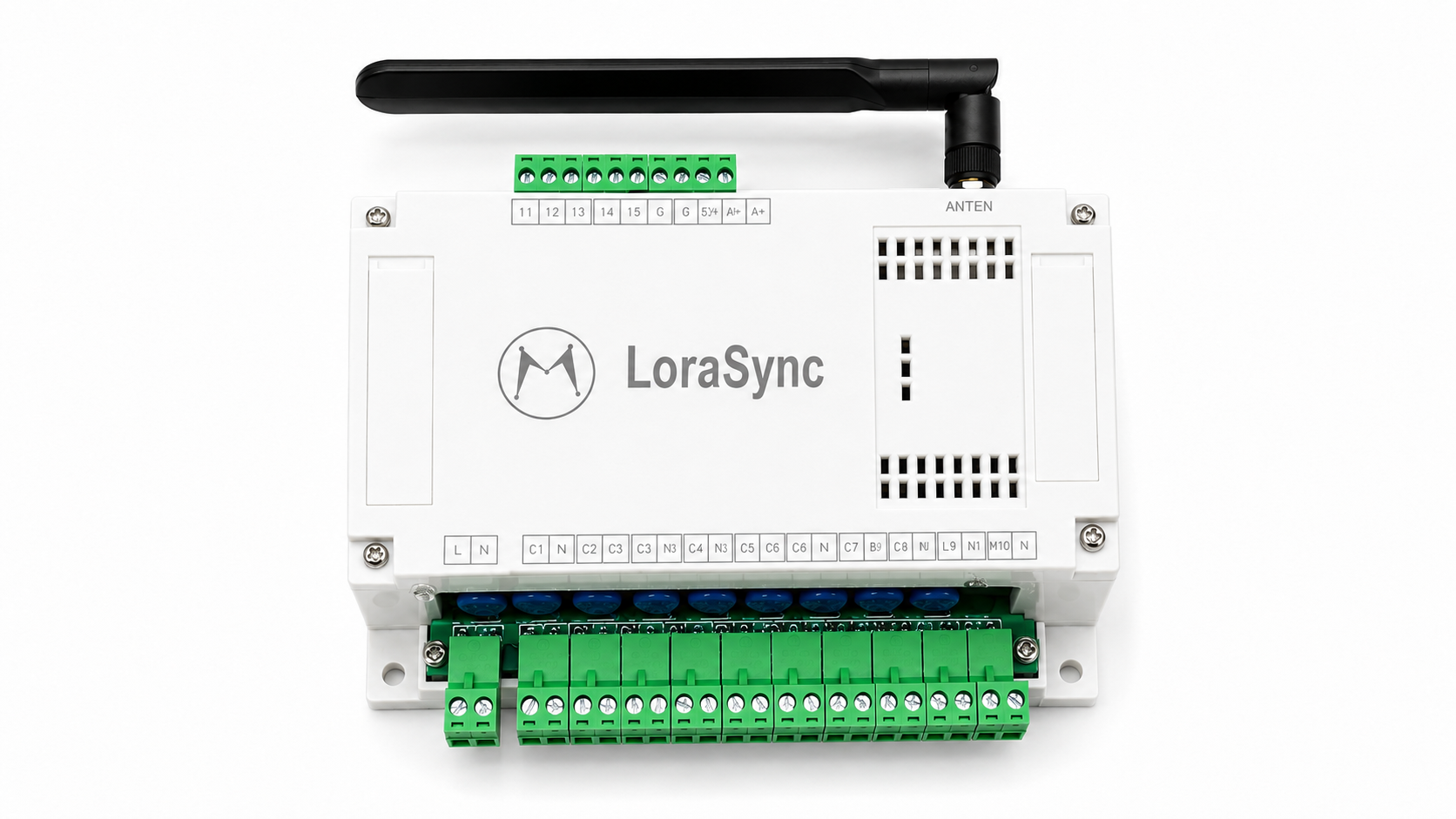
LoraSync - LR.100
LoRa MEI monitoring and control device is an industrial IoT solution for factories, pumping stations and technical infrastructure. The device uses 220VAC power, integrates 01 RS485 Modbus RTU, 04 Digital Input 0–24VDC and 10 Relay Output 220VAC to collect data, monitor status and control the device remotely. LoRa technology allows long-distance communication, reduces wiring costs and is easy to deploy on a large scale. Connecting to the MEI Eco Web/App platform, the device supports real-time monitoring, centralized control, data storage and incident warnings, effectively responding to industrial automation and IoT problems...
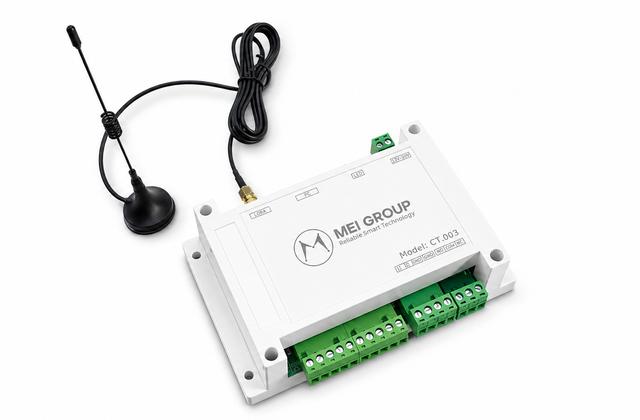
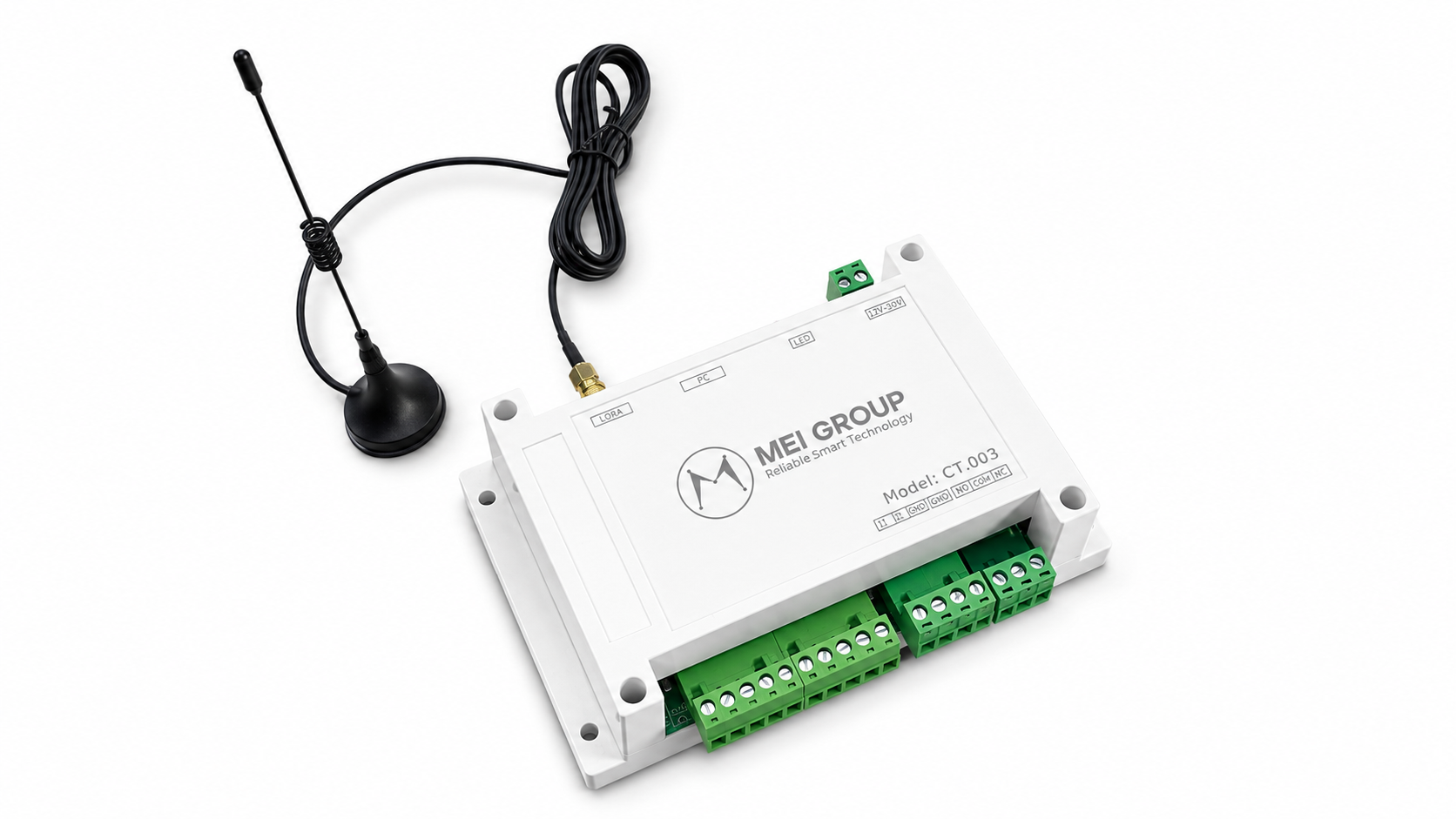
Lora Node (Model: CT003)
MEI GROUP CT.003 is a fire alarm signal receiver using LoRa technology, allowing real-time system status monitoring on Web and App. The device supports instant alerts when problems occur, stores operation history and remotely monitors connection status. Compact industrial design, installed directly in electrical cabinets or fire alarm cabinets, suitable for factories, buildings, warehouses and commercial centers.
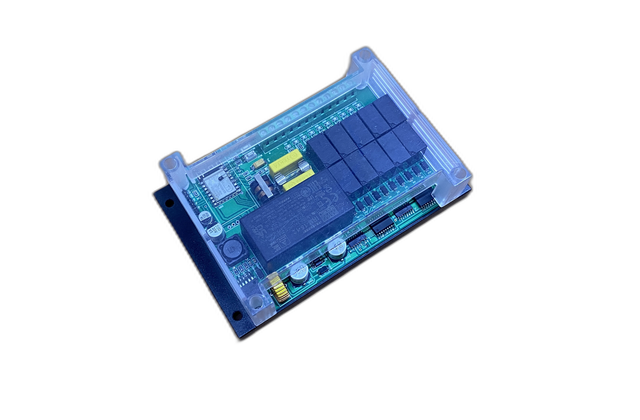
10-channel Wi-Fi/LoRa controller
MEI ECO 10-channel controller is a smart remote control solution using the STM32 platform, supporting LoRa or WiFi connection. The device integrates 10 independent relay/MOSFET channels to control pumps, solenoid valves, fans, lights and industrial equipment. Supports manual control, timer, automatic scenario and sensor linkage. Status data, voltage, load current, temperature and alarms are monitored in real time on the MEI ECO Web/App. The device has OTA, watchdog, anti-EMI interference and 24/7 stable operation for agriculture, water supply and industrial IoT.
Solution consulting
Connect your lighting system
Send information about electrical cabinets, lighting circuits and management requirements so that MEI GROUP can propose a configuration suitable for the project.
Support

- FAQ
- Resources
- Distributor
- Technical Support
MEIGROUP DOWNLOAD